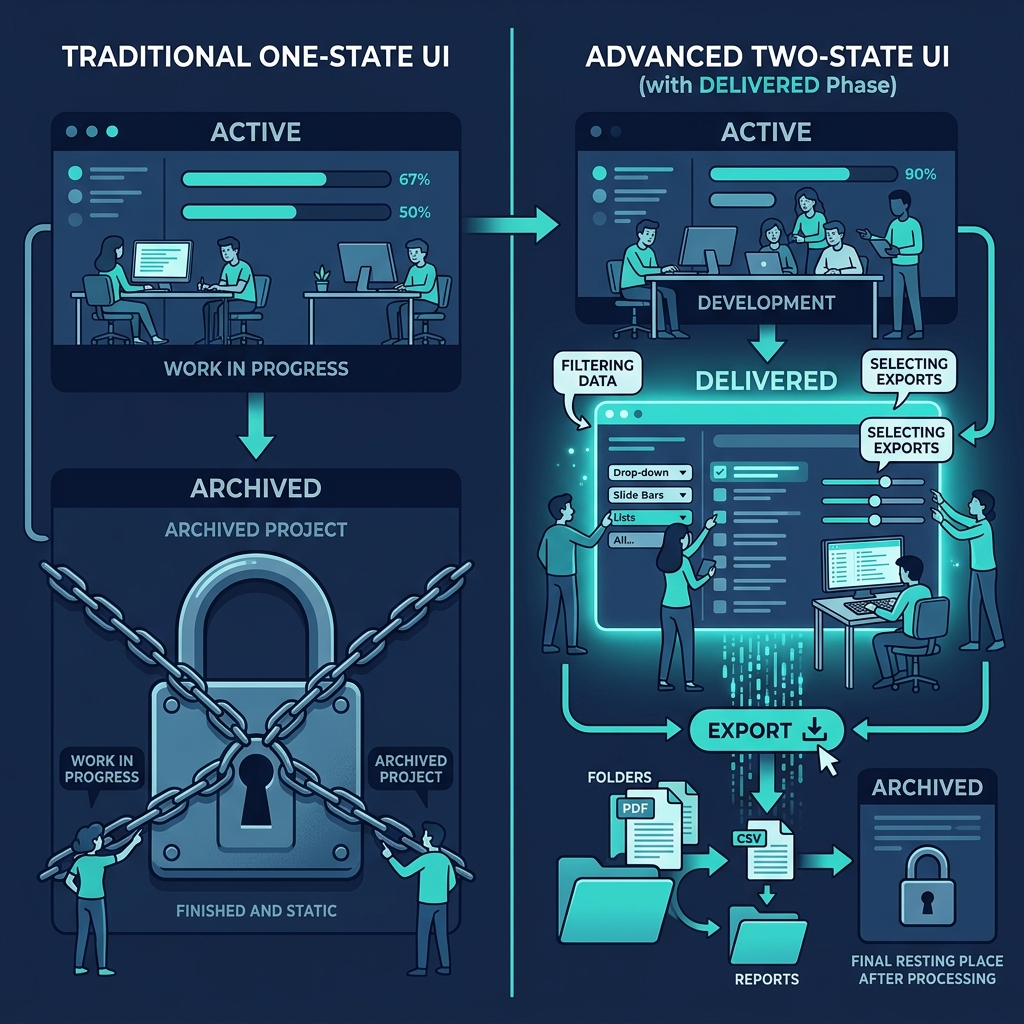
The natural instinct when building B2B software with multiple user types is to build multiple views. Admin console for the internal team. Client dashboard for the external user. Partner portal for the ecosystem. Each view is its own code path, its own design language, its own permission model, its own deployment surface. The architecture diagram looks tidy. The maintenance burden is enormous, and the drift between views is relentless.
There's a better pattern, and it took us a while to find it. One screen. Two rendering modes. Zero drift.
The problem with separate views
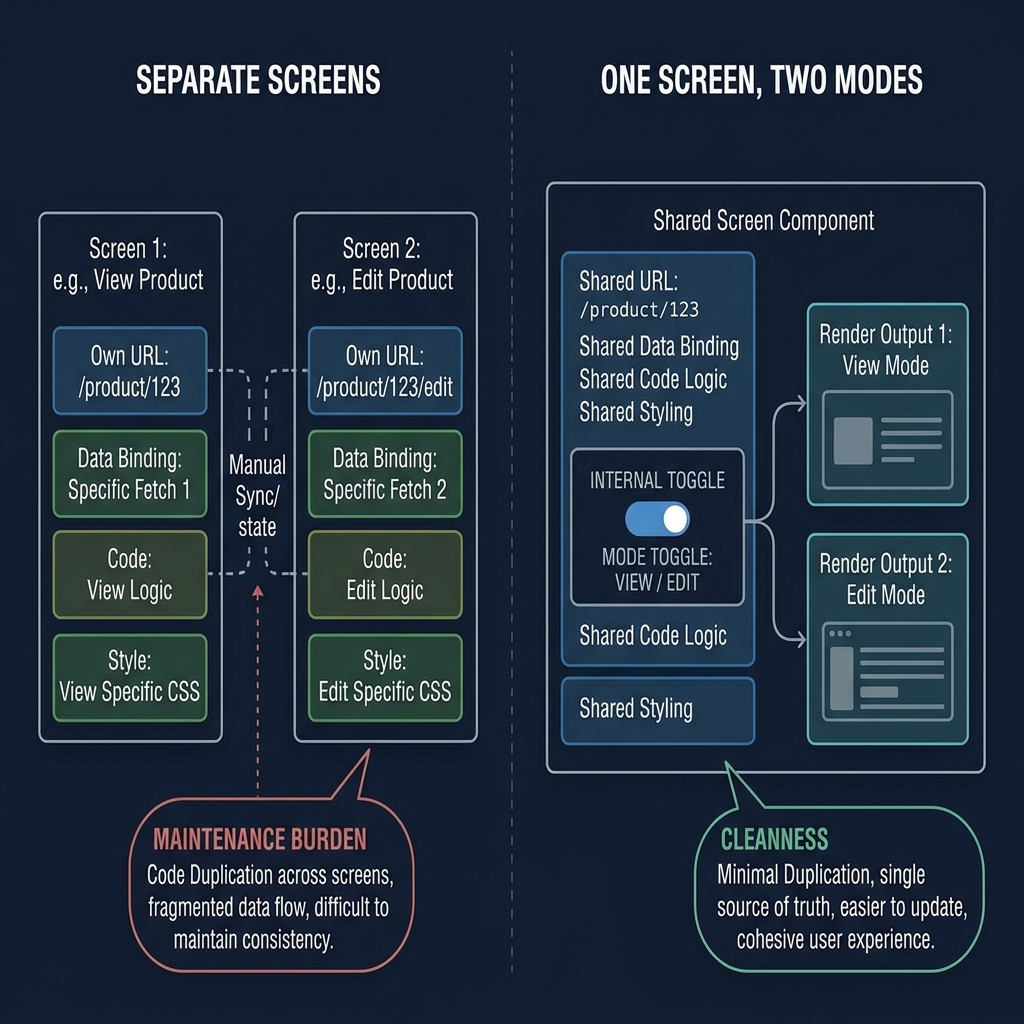
Start with the common architecture. The senior partner (the consultant running the engagement) has a screen showing a territory's analysis - full edit access, formula codes visible, confidence badges, benchmark details, cost structure breakdowns, override controls. The client's commercial director has a different screen showing "the same" analysis - except it's really a different component, with a different URL, different data bindings, different styling, and maintained separately.
Every change you make to the analysis propagates to both views. Except when it doesn't - a new field added to the SP screen gets forgotten on the client view until a week later when a client asks for something and can't find it. A bug fix on the SP screen doesn't carry to the client view because the components share no code. The design system starts drifting because the two screens evolve on different cadences and end up looking subtly different.
The underlying mistake is treating "different role" as equivalent to "different screen". It's almost always the former, rarely the latter. The same analysis is relevant to both the SP and the client; they just need different amounts of detail and different edit affordances. That's a rendering difference, not a structural one.
The render-mode pattern
The cleaner design uses one screen with two modes. The SP sees full access: every field editable, every formula code labelled, every benchmark shown, every confidence badge surfaced, every override control exposed. The client view of the same screen is stripped down: ingoing hypotheses, confirmed variables, phase progress, data pack status - clean, transparent, professional, but without the SP's working papers.
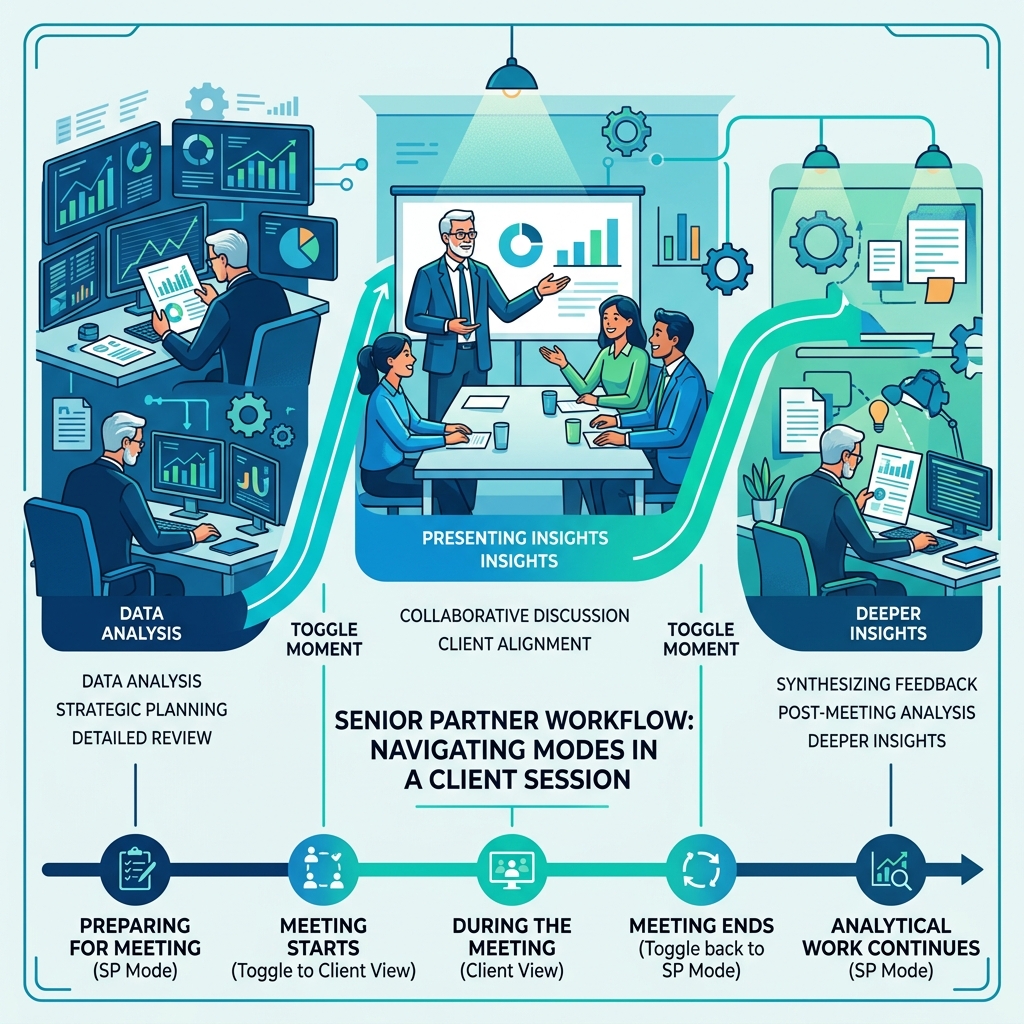
Not two separate screens. One screen, rendered differently. Toggle between modes in the same session. The SP is working on the analysis in SP mode; five minutes before the client meeting starts, they flip to Client View, and the same screen becomes a client-facing artefact. After the meeting, they flip back to SP mode and continue the analytical work.
The key insight is that the information hierarchy is the same for both audiences. Both the SP and the client care about the territory's attractiveness score. The SP also cares about how it was computed. The client cares about how confident we are in it. These are different questions, but they're questions about the same underlying object. The render mode controls which questions are visibly answered.
What changes and what doesn't
What changes between modes: - **Field visibility.** SP sees all fields; client view hides fields that represent SP working notes (override reasons, raw formula codes, internal benchmarks). - **Edit affordances.** SP sees edit controls; client view shows values as read-only. - **Label language.** SP labels use platform vocabulary (ATR-001, C12, R1-adj); client labels are business language (Territory Attractiveness, Working Capital, Adjusted Market Volume). - **Supporting context.** SP sees confidence badges on everything with drill-down to the confidence cascade; client view shows confidence badges on headline numbers without drill-down. - **Density.** SP screens pack information densely for expert use; client screens breathe more, with whitespace and emphasis on headline insights.
What stays the same: - **The data.** Both modes render the same underlying data. Numbers don't change between views. - **The URL and routing.** Same screen, same route, just different render mode. - **The navigation structure.** The sidebar, the screen hierarchy, the engagement context are shared. - **The data model.** One source of truth, no mirroring.
The technical implementation is straightforward. A render mode flag in the component (controlled at the page level by the user's role or a manual toggle for SPs who want to preview the client view). Conditional rendering on field visibility. A parallel label table for business-language translations. Read-only versus edit affordances switched via the same flag. Density tokens applied at the layout level.
The discipline is that every feature added to the screen is added once, with its render behaviour for both modes decided at build time. There's no "build it for SP first and retrofit for client later", because the retrofit always lags. If the feature doesn't need to appear in client view, that's explicit: the feature declaration says "SP only" and the component enforces it.
Why this respects a truth about consulting work
The render-mode pattern isn't just a technical convenience. It encodes something true about the consultant-client relationship. The SP is not hiding anything from the client. They're protecting a cognitive space to work in while keeping the client informed. The working papers - benchmarks, override reasons, formula codes - would distract the client without adding understanding. They're the senior partner's scratch space, not hidden data. Everything material to the client's decision is visible in client view. What's hidden is the working.
This is how good consulting has always worked. The senior partner's notebook is private; the deliverable is public. Nothing material is in the notebook that isn't eventually in the deliverable; the notebook is just where the thinking happens before it's ready. A good software architecture respects that the same person needs both - a scratch space to think in, and a polished view to present.
The maintenance dividend
Over time, the single-screen pattern compounds into a dramatic maintenance advantage. Every new field added to an analysis appears in both views automatically, with the correct edit affordances. Every bug fix propagates to both views. Every design system update applies to both. Drift is structurally impossible because there's nothing to drift between.
When we added new screens post-launch - scenario comparison, distributor audit, synthesis dashboard - the render-mode pattern was mechanical to apply. Design each screen once for SP mode. Decide the client view by subtraction: what hides? what becomes read-only? what gets relabelled? Commit. The incremental cost of supporting the client view on a new screen is perhaps 15% of the SP build time, not 100% as it would have been with separate screens.
When the pattern breaks
The pattern isn't universal. It breaks when the audiences are fundamentally doing different tasks on the same data. If the SP needs a detailed analytical workflow and the client needs an approval workflow, a toggle isn't enough - the interaction models are different, and forcing them into one component would compromise both.
But that case is rarer than the default architecture assumes. Most "different views" aren't different tasks; they're different detail levels on the same task. Test the assumption before splitting. Ask: is the client doing something different here, or just seeing less? If the latter, one screen with two render modes. If the former, separate screens. Most of the time, it's the latter - and every time you correctly identify it, you save months of future maintenance.
The dashboard sprawl that accumulates in mature B2B products almost always traces back to treating "different role" as "different screen". A more honest audit would cull half those dashboards in favour of render modes on the originals. The product wouldn't lose a feature; it would gain consistency. That's a trade worth making deliberately at build time, rather than inheriting the sprawl by default.